CI/CD Pipeline efficiency tips

Supercharging Your CI/CD: Efficiency Tips for Faster Pipelines
Slow pipelines are a productivity killer. They tie up resources, frustrate developers, and delay releases. And as we all know, every second counts in DevOps. In this blog post, we'll share some practical tips and techniques to optimize your CI/CD pipelines for maximum speed and efficiency.
- Build an efficient CI/CD foundation.
- Optimize your pipelines for maximum speed.
- Monitor usage & performance to identify bottlenecks.
Building a foundation for efficiency
Efficient pipelines help you optimize resource usage, reduce waste, and make life easier for your development team. One of the simplest, yet most effective ways to boost efficiency is to create a central repository for reusable workflows and composite actions (GitHub Actions) or templates (Azure Pipelines). This promotes consistency, simplifies maintenance, and makes rolling out updates a breeze. As a bonus, it simplifies dependency management with tools like Dependabot or Renovate bot.
Resist the urge to cram everything into one giant workflow. Break down complex workflows into smaller, more manageable chunks. This will improve readability, simplify debugging, and allow for finer control over caching and parallelization. Think of it like writing clean, modular code – smaller units are easier to work with and reuse.
Also, use concurrency settings wisely to prevent multiple instances of the same workflow from running at the same time. This helps conserve resources, especially for frequently triggered workflows. But be careful: cancelling running workflows can sometimes cause problems, so proceed with caution. For more information, check out the
Optimizing your pipelines for speed
Caching is your secret weapon for faster pipelines. Make sure to take advantage of the caching mechanisms in your GitHub Actions or Azure DevOps to store dependencies, build artefacts, or any other resources you access frequently. This avoids unnecessary downloads and computations, significantly speeding up build times and saving you those precious action minutes. For more information on caching in GitHub, check out
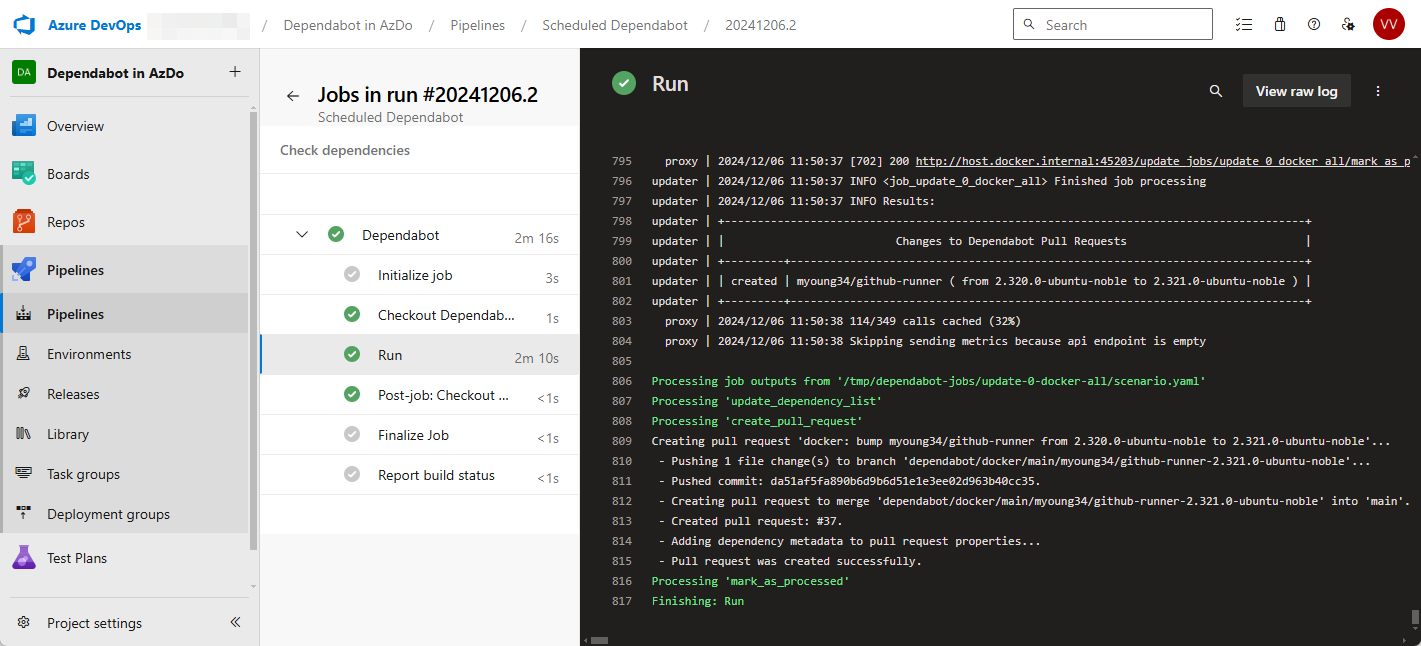
Keeping your dependencies up to date is essential but doing it manually is a chore. Automate the process with tools like Dependabot or Renovate Bot. They'll automatically open pull requests with updates, saving you time and ensuring your pipelines are always running the latest, most secure versions. Check out the
A lesser-known feature is that you can use Dependabot within Azure DevOps. This makes it easier for people that know Dependabot from working in GitHub.
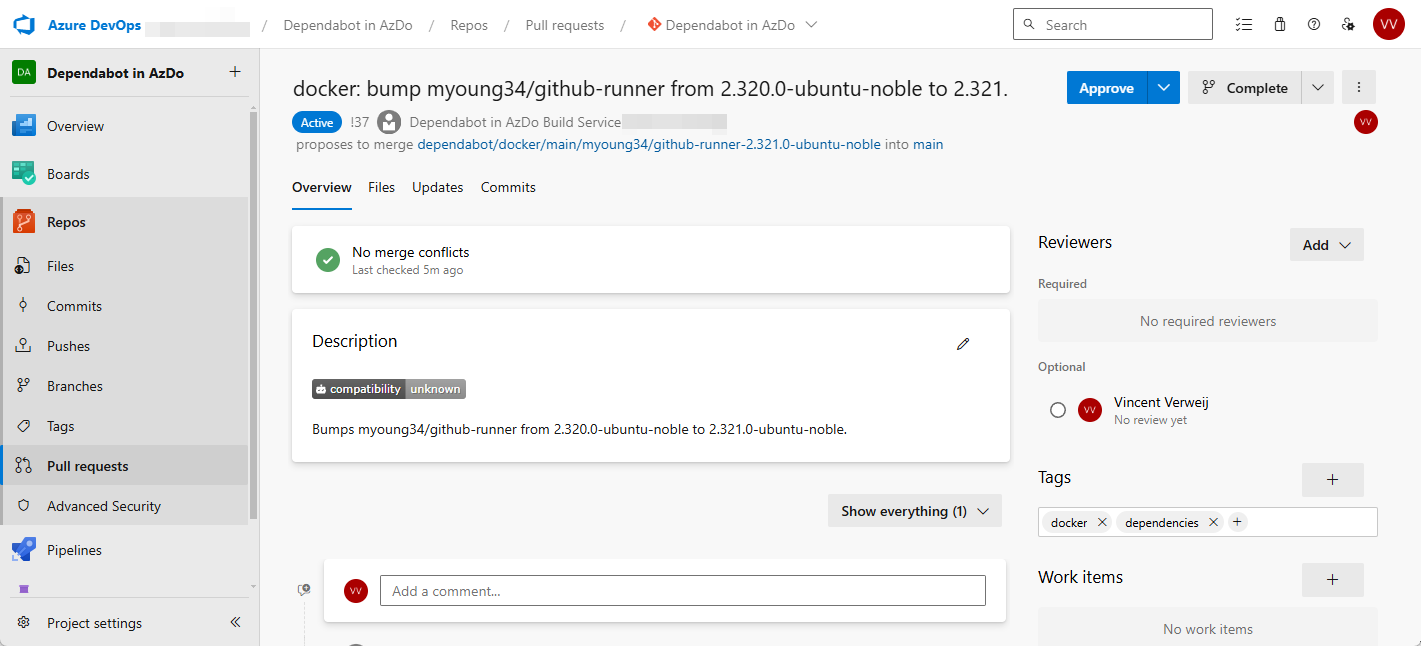
Another great efficiency tip for GitHub users is to store variables and secrets that you use across multiple repositories at the organization level. This keeps things tidy and consistent. For example, your Azure Tenant ID is usually the same for all repositories, so storing it at the organization level saves you from updating it in dozens of places.
Also, be mindful of your artefacts. Those build outputs and intermediate files can quickly gobble up storage and rack up costs, especially if they're large or you keep them around for too long. Keep an eye on your artefact sizes and set sensible retention policies. Regularly cleaning up old artefacts will keep your storage costs in check.
Knowing (usage) is half the battle
Monitor your pipeline performance regularly. GitHub Actions has a new Actions Performance Metrics view that can pinpoint performance bottlenecks. It's still in preview, but definitely worth checking out. For the latest updates, read the
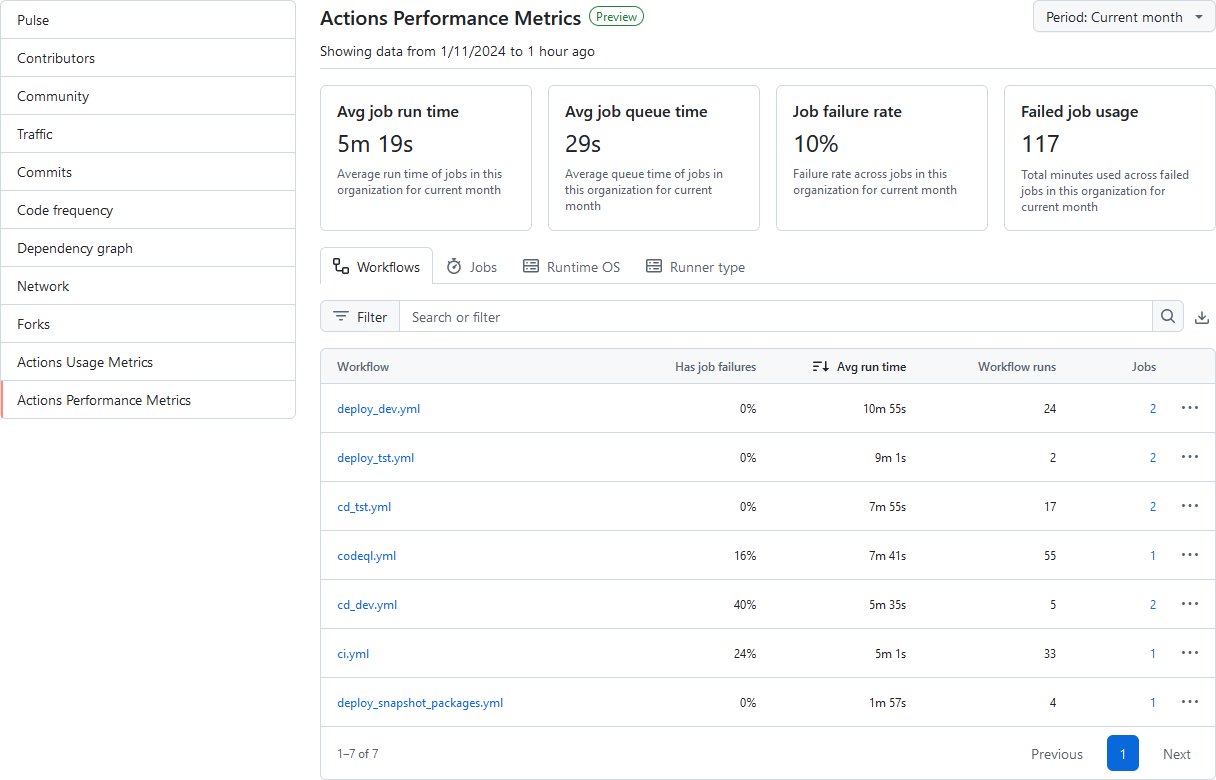
Azure DevOps also has dashboard widgets for visualizing pipeline performance. These tools let you see the real impact of your optimization efforts and identify any remaining areas for improvement.
Speaking of finding areas for improvement: don’t make your pipelines do more work than they have to! Use conditional logic within your jobs and steps to avoid running unnecessary tasks. You can base these conditions on things like the branch being built, the files that have changed, or the outcome of earlier steps. You can also customize your trigger events to be more specific, for example, only running certain jobs when changes are pushed to the main branch or when particular files are modified.
Finally, picking the right runner for your jobs can make a surprisingly big difference. If you can, use Linux runners – they generally use fewer action minutes than Windows or macOS runners, thanks to some
Conclusion
Efficient pipelines are a key ingredient for successful DevOps. By following these efficiency tips, you’ll streamline your workflows, cut costs, and get your software out the door faster. However, speed shouldn't come at the cost of everything else. Make sure to also take a look at our previous blog, where we discussed reliability and security for pipelines.
Want faster, more efficient pipelines?
Our engineers help you identify bottlenecks and implement optimizations across your CI/CD setup.
Want more? Read on!

Pipeline reliability: how to build solid CI/CD workflows?
A poorly designed pipeline can lead to all sorts of nasty surprises: deployment errors, security vulnerabilities, and a lot of lost sleep. We'll share our best practices to help you build bulletproof CI/CD pipelines. Ready to protect your deployments from errors and vulnerabilities?

The 4 core principles of GitOps
What if you could manage your entire infrastructure and application setup with the same ease and control as you manage your code? That's the promise of GitOps. We'll tell you how it leverages Git for infrastructure management, bringing automation, reliability, and speed to DevOps.

10 practical tips to improve your observability
Ready to turn raw data into actionable insights for rapid debugging and proactive performance tuning? We'll share some proven tips from our practical experience, illustrated with concrete examples to boost your observability stack.